AgentBox runs a team of AI coding agents on one project. Each one gets a full Linux machine and a branch of its own, and a lead chat directs them.
Shared project memory and token accounting come with it. It works with Claude Code,
Codex and
OpenCode.
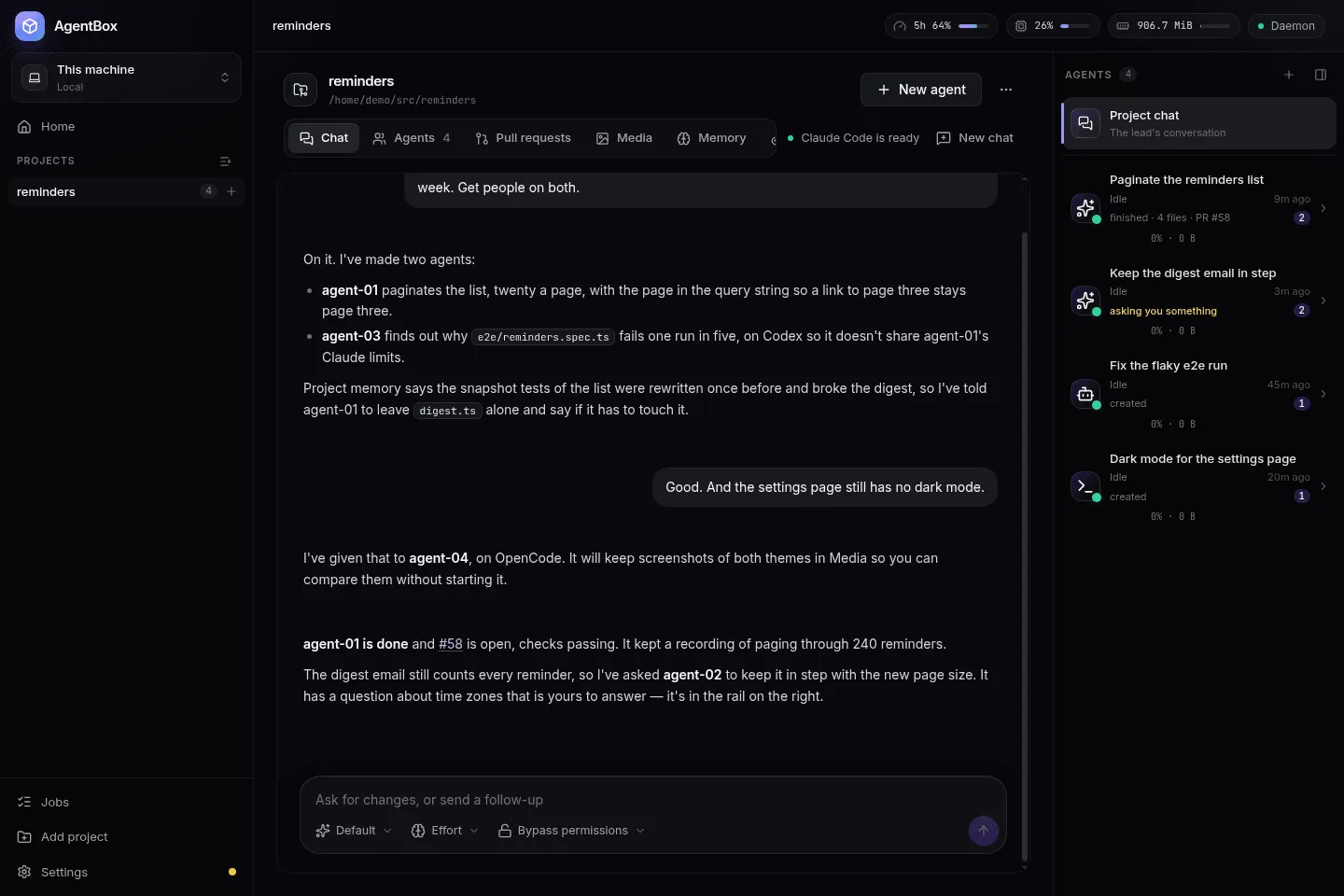
You talk to one chat. It runs a team of agents, each in its own container on your computer, and tells you when they're done.
1
Add a project
Point AgentBox at a git repository. Its chat, the project's lead, is ready straight away and costs nothing until you talk to it.
agentbox add ~/src/my-app
2
Tell the lead what you want
The lead creates the agents the job needs and briefs each one with what the project already knows.
agentbox chat my-app "Paginate the reminders list"
3
Agents work in machines of their own
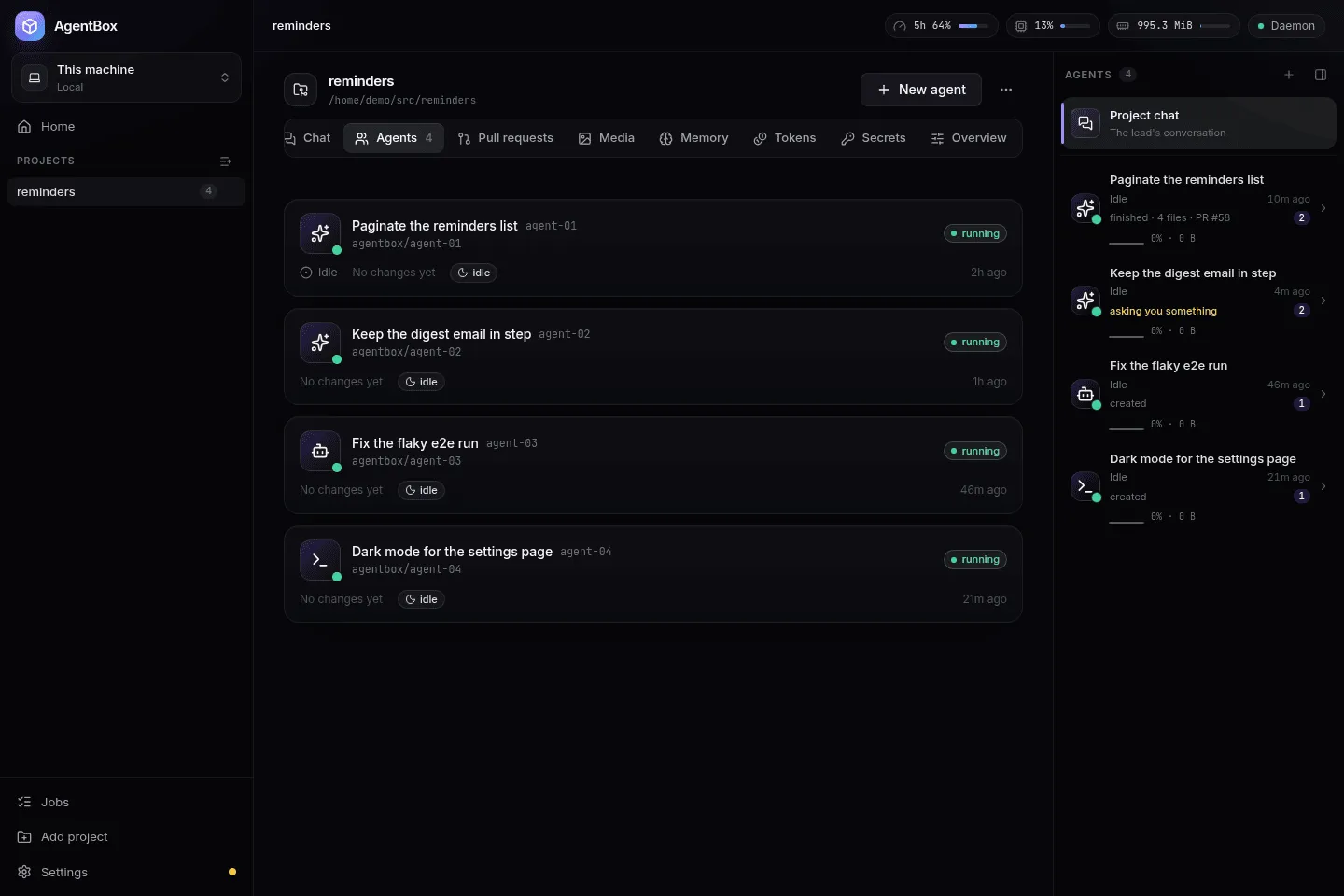
Each agent gets an Incus container, a git worktree on agentbox/<name>, its own network, Docker, a browser and a desktop. If an agent is stuck on a decision, the lead answers it or passes it to you.
agentbox shell my-app/agent-01
4
Review the proof, then merge
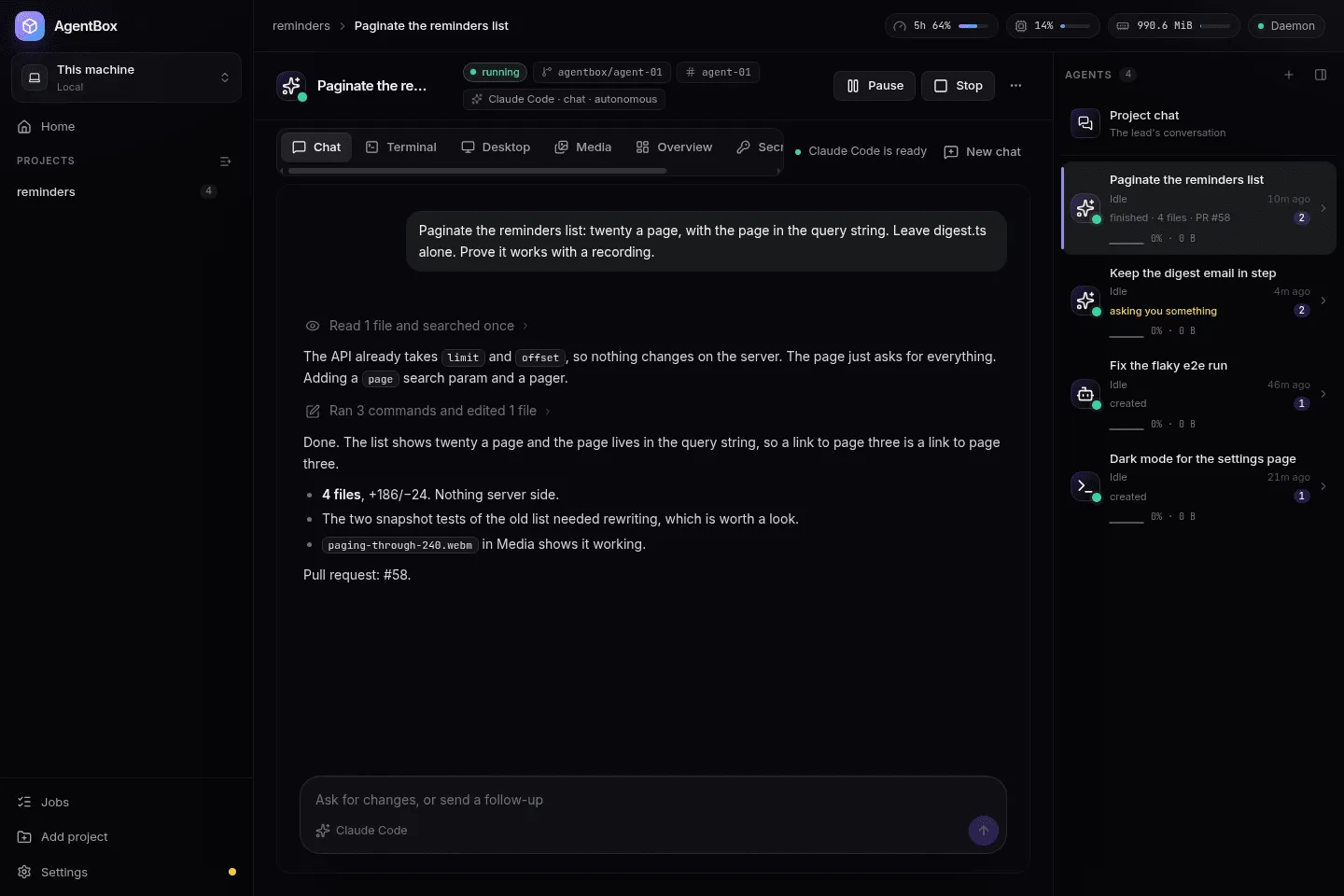
A finished agent hands the lead its summary and pull request. Screenshots, recordings and test reports wait in its Media tab. Destroy the agent and its branch stays.
agentbox diff my-app/agent-01
 Desktop app ─┐                           ┌─ agent-01: Incus container ── worktree on agentbox/agent-01
              ├── unix socket ── daemon ──┼─ agent-02: Incus container ── worktree on agentbox/agent-02
 agentbox CLI ┘      (HTTP)      state.db └─ lead: the project chat, on your machine, over MCP
One daemon owns the state in a single SQLite database. The app and the CLI are both clients of it. Chats reach each tool through ACP
adapters inside the agent's machine.
Everything an agent needs to do the job, and everything you need to check it
Isolation
A machine, a worktree and a branch per agent
Every port is free in every agent, so each one runs the dev server on its usual port and its own Postgres in Docker. Agents are capped at a share of the host's CPUs, so one agent's build can't freeze your machine. You can snapshot an agent, restore it, fork a new one from it, or pause it with its memory intact.
One timeline
Claude Code, Codex and OpenCode in one chat
The app talks to each tool through ACP adapters, with the tool running inside the agent's machine. Tool calls, diffs, plans, approvals and subagents all land in one timeline, and you can message an agent while it works. Pick the model, effort and permissions per agent. If you'd rather use the tool's own CLI, agentbox shell attaches to it.
Watch and take over
A browser and a desktop in every agent
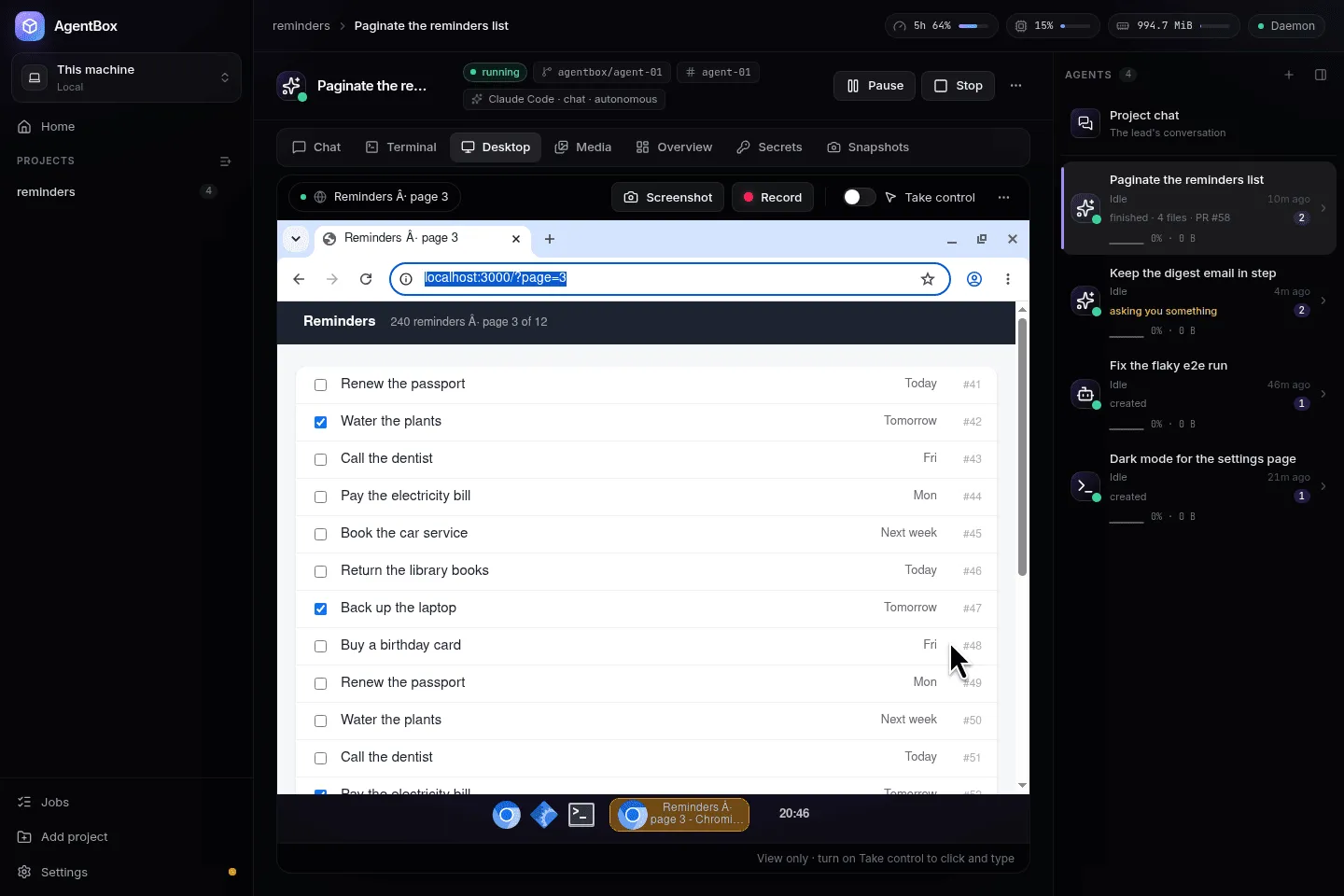
Every agent has Chromium on a desktop of its own. The agent drives the browser through Playwright and the desktop with a real mouse and keyboard. You watch it live in the Desktop tab, and when you click Take control, it's yours.
Project memory
What a project learns outlives the agents that learned it
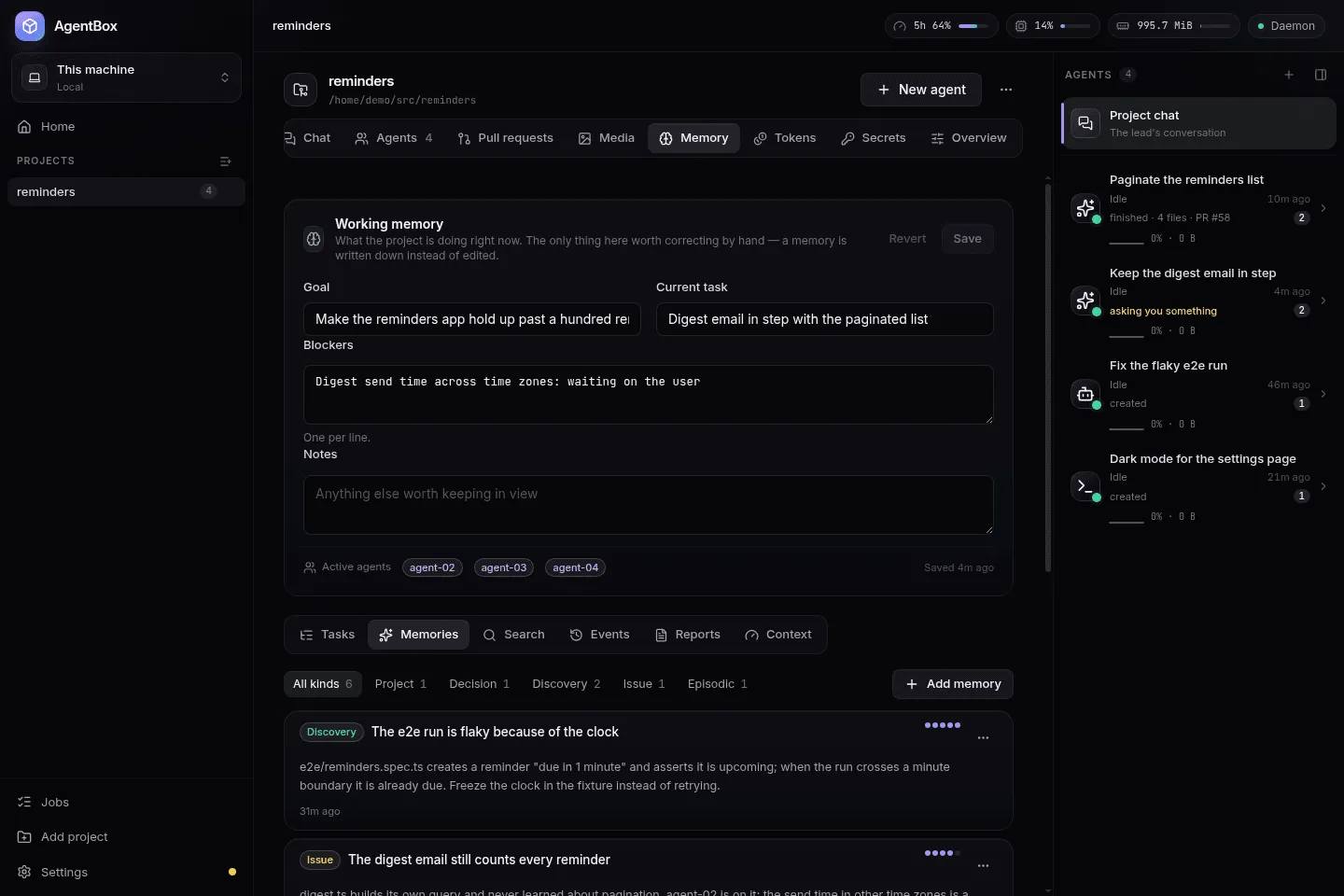
Each project keeps its decisions, discoveries, open issues, task graph, artifacts and every agent's finish report in SQLite, searched with full-text search. No model call and no embeddings. Each new agent starts with the slice its task needs, under a token budget you set.
Token accounting
What it all costs, and how much of your limits is left
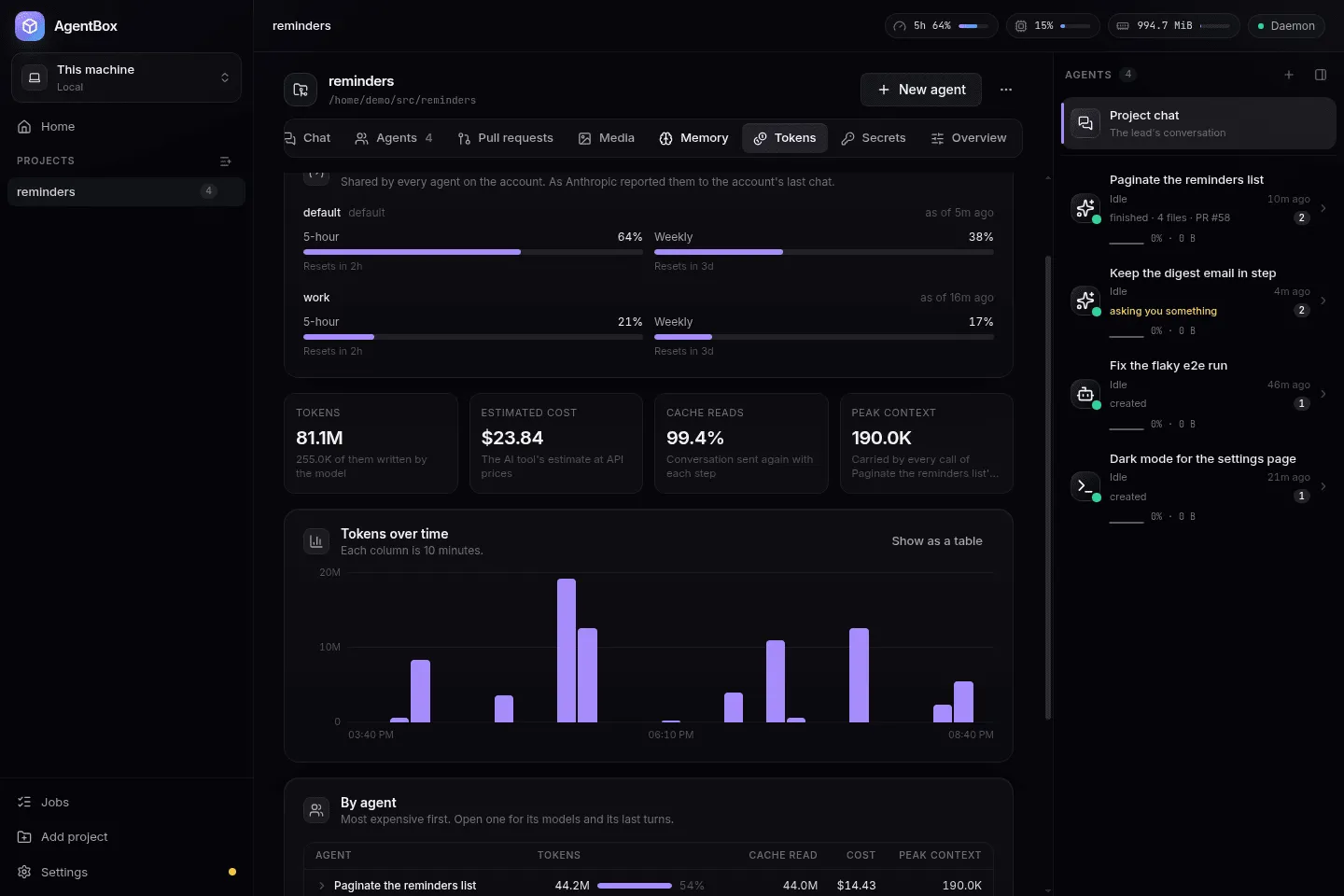
A ledger records every turn of every chat: tokens, estimated cost and context size, per model. Each Claude account's five-hour and weekly limits show in the top bar. Chats compact at a window you set, and screenshots and searches run in subagents, so a long task doesn't keep getting more expensive per step.
And the rest
Proof, not promises
Agents keep screenshots, recordings with the cursor and keystrokes shown, test reports and logs in a Media tab, so you can review their work without starting them.
Previews of every server
Any port an agent listens on is one URL away: <port>.<agent>.<project>.localhost:7777.
An Android emulator per agent
For mobile projects, each agent can have its own emulator with its own app data, and you can use it from the app.
Project bases
Set up one agent with dependencies installed and a database seeded, then save it as the base that new agents start from.
Several Claude and GitHub accounts
Pick an account per project or per agent. The lead can spread new agents across accounts by how much of each one's limits is left.
Remote environments
Run AgentBox on a VPS as well as your PC and use both from one app. A VPS's agents keep working while your PC is off.
Sealed secrets
Give an API key to a project or to a single agent. It's sealed at rest, and the API and the app can never read it back.
A fleet view
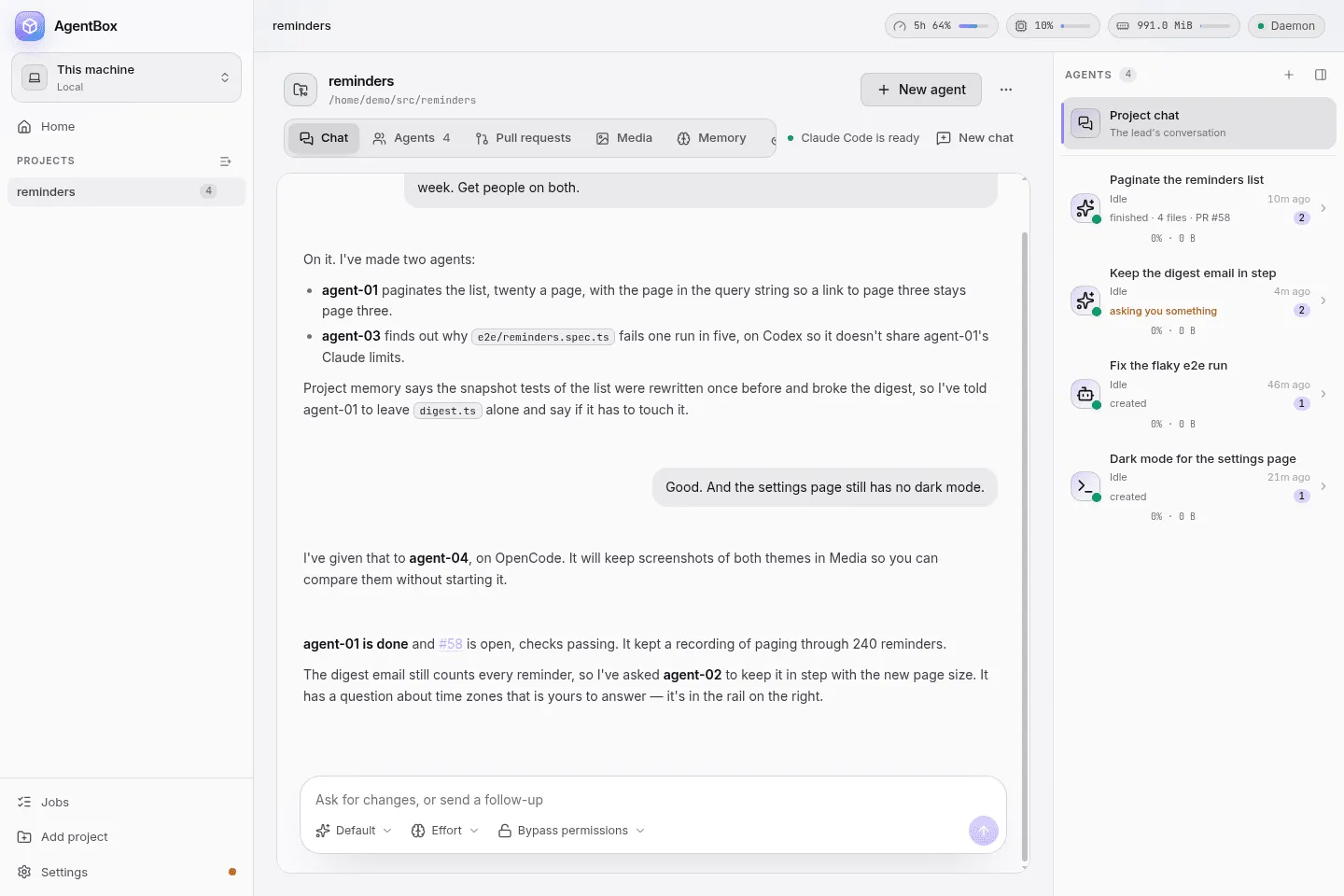
Every project and agent in one place, ordered by what needs you first. Light and dark themes, or follow your desktop's.
How it compares
Running agents in parallel usually means picking a compromise. Either they share your machine, or they run on somebody else's.
Worktree tools
Parallel agents, one machine
Every agent shares your ports, databases and Docker
Two dev servers on :3000 collide
An agent's rm -rf or runaway build hits your machine
Cloud agents
Isolated, but on someone else's computer
Your code and secrets move to their servers
Priced per seat or per task on top of your model spend
The environment is theirs to set up and limit, not yours
AgentBox
Isolated, on your own computer
Each agent gets a full Linux machine and its own network
Your code, containers and data stay on your hardware
Use your own Claude, Codex or OpenCode account
Watch any agent's desktop and take control
Platforms
Agents are Incus containers, and Incus runs on Linux, so Linux comes first. macOS and Windows are in alpha: on a Mac it runs in a Lima VM, and on Windows in a WSL 2 distro of its own.
Linux
Available
x86_64. Arch, Debian 12 or 13, Ubuntu 22.04 or newer, and Fedora. AppImage, .deb, .pacman, or the CLI alone.
Apple silicon and Intel, in a Linux VM made with Lima. A .dmg, or the CLI alone. Early: it has only been tried on a few Macs, so expect rough edges and please report them. The app isn't signed yet: the first time, open it from System Settings → Privacy & Security → Open Anyway.
x64, Windows 10 or 11 with WSL 2. AgentBox runs in a WSL distro of its own, and projects on Windows drives are cloned into it. Installer or portable .exe. Early: it has only been tried on a few machines, so expect rough edges and please report them.
It's the same idea: you describe the work and autonomous agents do it in full development environments, with a browser, a terminal and a desktop you can watch. The difference is that the machines are containers on your own computer, the agents are the CLIs you already use, and you can run many of them at once on one project.
Does my code leave my machine?
The repository, the agents' machines, the project memory and the token ledger all stay on your computer. The only thing that leaves is what any coding agent sends: the context the model reads goes to your AI provider, under your own account.
Which AI tools and accounts does it use?
Claude Code, Codex and OpenCode, or just a shell. You sign in with your own accounts. You can add several Claude accounts and choose one per project or per agent.
Why containers instead of VMs?
Incus system containers boot in seconds and share the host's kernel, yet each one is a full Linux machine with systemd, Docker, its own network and its own users. You can run several at once on a laptop. Each running agent uses 1 to 2 GB of memory.
What do I need to run it?
Linux on x86_64, 8 GB of memory at the very least (more for several agents at once), 4 cores, 30 GB of free disk, and a user who can run sudo. The app's Settings walk through installing Incus and downloading the agents' base image, without a logout.
Can I use it without the desktop app?
Yes. The daemon and the agentbox CLI do everything the app does, which is how it runs on servers and in scripts. A hub connects a VPS and your PC so you can use both from the app or a phone's browser.
Is it free?
Yes. AgentBox is open source under the MIT License. You pay only for your AI tools' usage, and the token ledger shows where it goes.
Put a team of agents on your next project
Download it, add a repository, and tell the lead what you want.
 AgentBox